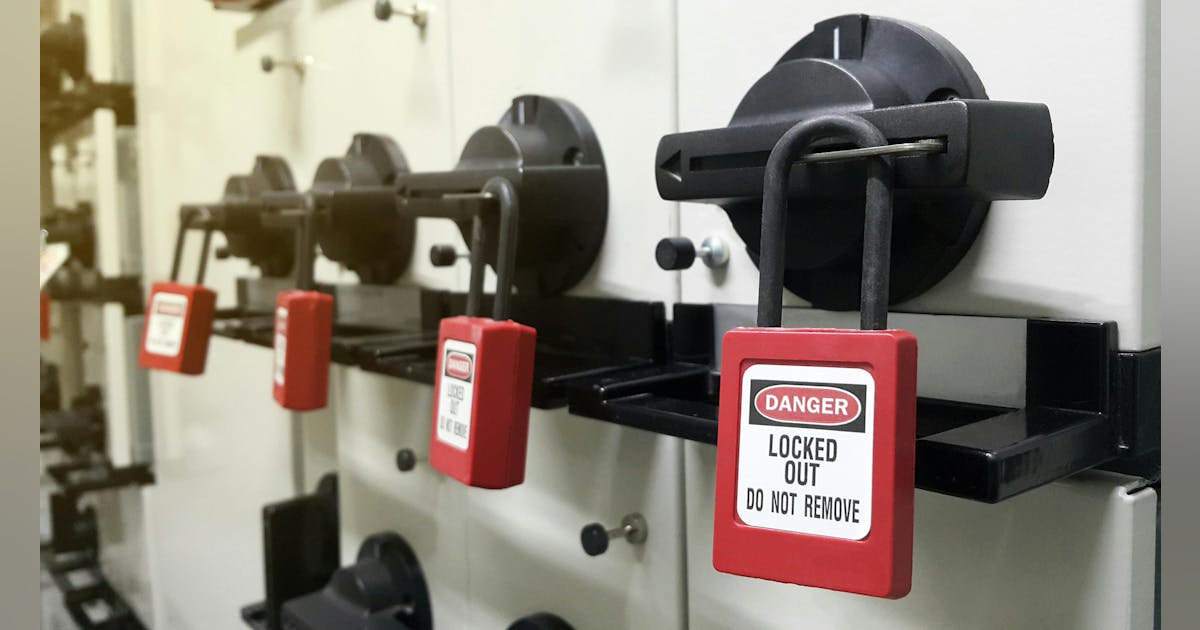
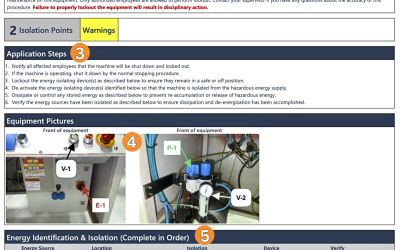
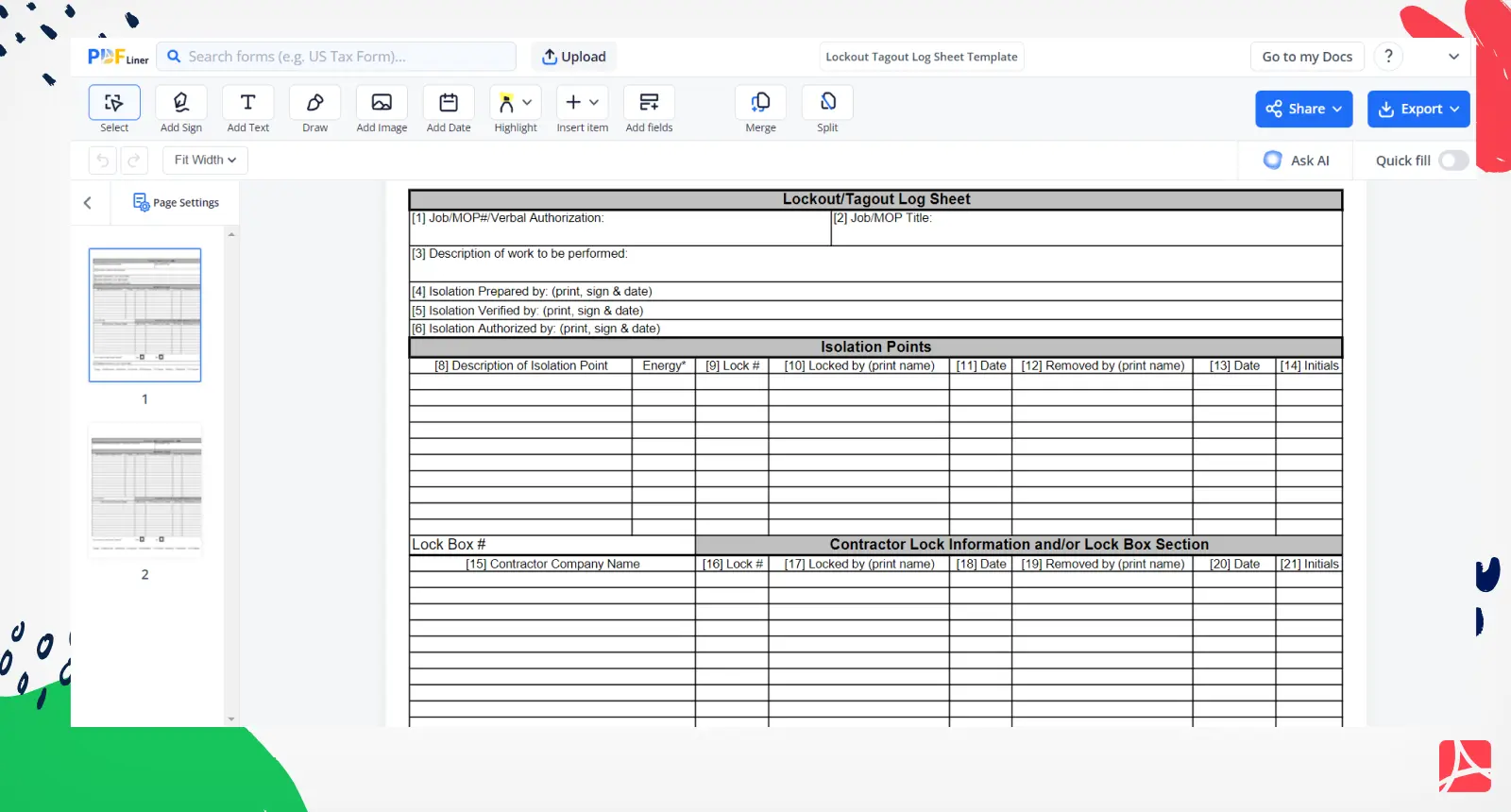
Equipment failures don’t just disrupt operations—they kill. According to OSHA, failure to control hazardous energy during servicing accounts for nearly 10% of serious accidents in manufacturing. At the heart of every effective energy control program lies a simple but critical document: the lockout tagout log form.
It’s not just paperwork. It’s a real-time record of who locked what, when, and why—ensuring no one restarts machinery during maintenance. Yet too often, companies treat this form as a compliance checkbox rather than a vital safety tool. That mindset leads to incomplete logs, gaps in accountability, and risk.
This guide cuts through the noise. You’ll learn how to structure an effective LOTO log form, avoid common mistakes, integrate it into workplace workflows, and ensure it supports—not slows down—your safety culture.
Why a Lockout Tagout Log Form Isn’t Optional
A lockout tagout log form is more than a record—it’s a legal and operational necessity. OSHA standard 29 CFR 1910.147 requires employers to document each application of energy control procedures. This includes recording the date, time, equipment involved, type of energy isolated, and personnel responsible.
Without a log, you can’t prove compliance. During an OSHA inspection, missing or inconsistent logs are red flags. Injuries or fatalities traced to unrecorded lockouts can lead to citations, fines, and even criminal liability.
But beyond compliance, the log serves day-to-day functions: - Clarifies who is working on equipment - Prevents accidental re-energization - Provides a timeline during shift changes - Supports incident investigations
For example, imagine a conveyor system being serviced overnight. The maintenance tech applies a lock and tags the disconnect. The next shift supervisor sees the lockout tagout log form updated with name, time, and equipment ID—no guesswork, no risk.
Without the log, that same supervisor might assume the line is ready and restart the system, with potentially fatal consequences.
Key Elements of an Effective LOTO Log Form
A strong lockout tagout log form balances clarity, completeness, and usability. Too sparse, and it fails to protect. Too complex, and workers skip it. Here’s what every form should include:
#### 1. Date and Time of Lockout Precise timestamps ensure accountability. Use 24-hour format to avoid AM/PM confusion.
#### 2. Equipment Identification Specificity matters. Instead of “Pump #1,” use “North Wing Condensate Pump – Serial #XP-2241.” Include location (e.g., “Floor B, Zone 3”).
#### 3. Type of Hazardous Energy List all energy sources isolated: electrical, pneumatic, hydraulic, thermal, chemical, gravitational.
#### 4. Authorized Employee Name and ID Full name and employee ID prevent confusion—especially with common names or contractors.
#### 5. Lock and Tag Numbers Each lock should have a unique ID. This traces responsibility and helps during audits.
#### 6. Nature of Maintenance or Service A brief description (“bearing replacement,” “sensor recalibration”) tells others why the lock exists.
#### 7. Time and Name of Lock Removal The log isn’t complete until the lock is removed and documented. Include verification that the area was cleared before re-energizing.
#### 8. Supervisor or Verifier Signature Adds a layer of oversight, especially for complex or high-risk tasks.
A well-designed form doesn’t just collect data—it guides behavior. Place high-risk fields at the top. Use checkboxes for energy types. Leave space for notes but avoid blank pages that invite clutter.
Common Mistakes That Undermine LOTO Logs

Even companies with solid safety programs make these errors:
1. Using Generic or Homemade Forms A handwritten log on a clipboard might seem practical, but it’s prone to tampering, loss, and inconsistency. Standardized, tamper-resistant forms ensure uniformity.
2. Skipping the Removal Entry Many logs record the lock application but fail to document removal. This creates gaps—was the lock removed safely, or was it cut off due to an emergency?
3. Incomplete Equipment Details “Machine 2” isn’t good enough. If multiple machines share a name or function, confusion follows. Use asset IDs or barcodes.
4. Allowing Blank Fields Empty spaces invite assumptions. Train staff to fill every section or mark “N/A” where appropriate.
5. Poor Accessibility Storing logs in a locked office defeats their purpose. The form must be visible at or near the equipment, either physically or via digital access.
6. No Review or Audit Process Logs that aren’t reviewed weekly or monthly become stale. Designate a safety officer to audit 10% of logs monthly for compliance and accuracy.
Integrating the Log Into Real-World Workflows
A form only works if it fits into how people actually work. Here’s how to make the LOTO log form part of the routine—not a burden.
Pre-Work Briefings Before starting maintenance, supervisors should review the log with the team. Confirm equipment status, verify no active locks exist, then initiate the new lockout with a fresh entry.
Shift Handovers Night-shift technicians must see what’s locked out. Place logs in a central kiosk or use digital dashboards visible from the control room.
Digital Integration Many facilities now use LOTO software that syncs with CMMS (Computerized Maintenance Management Systems). When a work order is created, the system auto-generates a digital lockout log, reducing manual entry.
For example, a technician opens a work order for a boiler inspection. The system prompts them to select energy sources, assign locks, and digitally sign the log—all on a tablet at the equipment site.
Even with digital tools, maintain a physical backup. Power outages or system failures shouldn’t stop safety procedures.
Digital vs. Paper LOTO Log Forms: What Works Best?
The debate isn’t about technology—it’s about reliability, training, and context.
| Factor | Paper Forms | Digital Forms |
|---|---|---|
| Setup Cost | Low | Moderate to high |
| Training Needs | Minimal | Requires onboarding |
| Real-Time Access | Limited | Yes, with cloud sync |
| Audit Trail | Manual review needed | Automatic timestamps, user logs |
| Risk of Loss | High (can be misplaced) | Low (backed up) |
| Integration | None | Can link to CMMS, ERP |
Paper works well in small shops or remote sites with limited connectivity. Use carbon-copy forms: one stays on-site, one goes to safety records.
Digital excels in complex plants with rotating shifts and high maintenance volume. Apps like Veezoo, Enablon, or Sphera offer mobile LOTO logs with GPS tagging, photo uploads, and approval workflows.
But don’t assume digital is always better. If your team isn’t tech-savvy or the interface is clunky, adoption fails. Pilot any new system with a single department first.
Top 5 LOTO Log Form Templates and Tools
Not all templates are created equal. These five options balance compliance, usability, and real-world functionality:
- OSHA-Compliant PDF Template (Free)
- - From safety publishers like Grainger or SafetyStore
- - Fillable fields, clear layout
- - Best for: Small businesses needing a ready-to-print solution
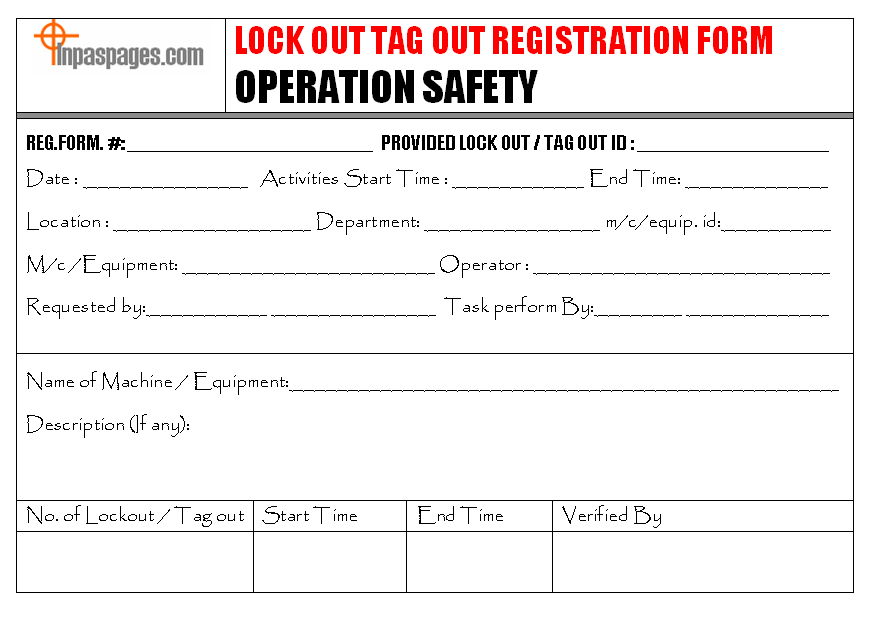
- Creative Safety Supply LOTO Log
- - Includes color-coded sections
- - Tear-off copy for recordkeeping
- - Best for: Facilities with frequent maintenance
- Lockout Tagout Buddy (Mobile App)
- - iOS/Android app with digital forms and checklists
- - GPS verification of location
- - Best for: Contractors and mobile teams
- EHS Insight LOTO Module
- - Cloud-based, integrates with full EHS suite
- - Automated reminders and audit trails
- - Best for: Mid to large manufacturers
- Custom In-House Template (via Google Workspace or Excel)
- - Fully customizable
- - Can include dropdowns, formulas, and alerts
- - Best for: Companies with specific workflow needs
Choose based on your team’s size, tech comfort, and regulatory environment. Always test with frontline workers before rolling out.
How to Audit and Improve Your LOTO Log Process
A log form isn’t “set and forget.” It needs ongoing evaluation. Conduct quarterly audits using this checklist:
- [ ] Are all required fields completed on sample logs?
- [ ] Do removal times logically follow lockout times?
- [ ] Are employee names legible and IDs consistent?
- [ ] Are high-risk equipment logs double-checked by supervisors?
- [ ] Is the log accessible at the point of use?
When gaps are found, don’t just retrain—redesign. If technicians consistently forget to list energy types, move that field to the top. If signatures are missing, switch to digital forms with mandatory sign-off steps.
Also, involve workers in improvement. Ask: “What slows you down when filling out the log?” Their answers often reveal hidden friction points—like having to walk back to the office to file a copy.
Final Thoughts: Make the LOTO Log Form Work for You
The lockout tagout log form isn’t bureaucracy. It’s a living document that protects lives. A well-implemented log prevents tragedies, streamlines maintenance, and proves due diligence when it matters most.
Don’t settle for a form that collects dust. Choose one that’s clear, mandatory, and integrated into daily operations. Train your team not to “fill out a sheet,” but to “complete a safety handshake” with every entry.
Start today: pull your current LOTO log, review it against OSHA standards, and test it with a technician on the floor. If it takes more than two minutes to complete, it’s too complex. Simplify. Clarify. Then enforce—consistently.
Your log form should do more than satisfy auditors. It should be the first thing anyone checks before touching a machine.
FAQ What is the purpose of a lockout tagout log form? It documents each lockout event, ensuring accountability, preventing accidental startup, and proving compliance with OSHA regulations.
Who fills out the LOTO log form? Authorized employees performing maintenance are responsible for completing the form at the time of lockout and removal.
How long should LOTO logs be kept? OSHA requires one year of records for each energy control procedure, including periodic inspections and individual lockout logs.
Can a digital LOTO log form be used? Yes, if it captures all required elements, is accessible, and provides a secure, tamper-proof record.
Do I need a log for every lockout? Yes. Every instance of servicing or maintenance requiring energy isolation must be documented.
What happens if the log form is incomplete? Incomplete logs weaken safety protocols and may result in non-compliance during inspections or investigations.
Should contractors use the same LOTO log form? Yes. Contractors must follow your energy control program and use the same log to ensure consistency and accountability.
FAQ
What should you look for in Lockout Tagout Log Form: Essential Guide for Compliance? Focus on relevance, practical value, and how well the solution matches real user intent.
Is Lockout Tagout Log Form: Essential Guide for Compliance suitable for beginners? That depends on the workflow, but a clear step-by-step approach usually makes it easier to start.
How do you compare options around Lockout Tagout Log Form: Essential Guide for Compliance? Compare features, trust signals, limitations, pricing, and ease of implementation.
What mistakes should you avoid? Avoid generic choices, weak validation, and decisions based only on marketing claims.
What is the next best step? Shortlist the most relevant options, validate them quickly, and refine from real-world results.